Everyday
A day with Desk
Good ideas rarely arrive at the desk. Here is what happens to them now.
Late at night
In bed, with the light off
The idea arrives just as you are falling asleep. Say it to your phone in the dark, quietly, without opening your eyes properly.
Your agent files it in the right project. In the morning it is there, tidied up, and if you asked, already started.

Out and about
On a walk, phone in your pocket
Earphones in, screen locked, phone away. Press the button on your headset and talk a problem through out loud. Pause to think, carry on: it keeps listening until you stop it.
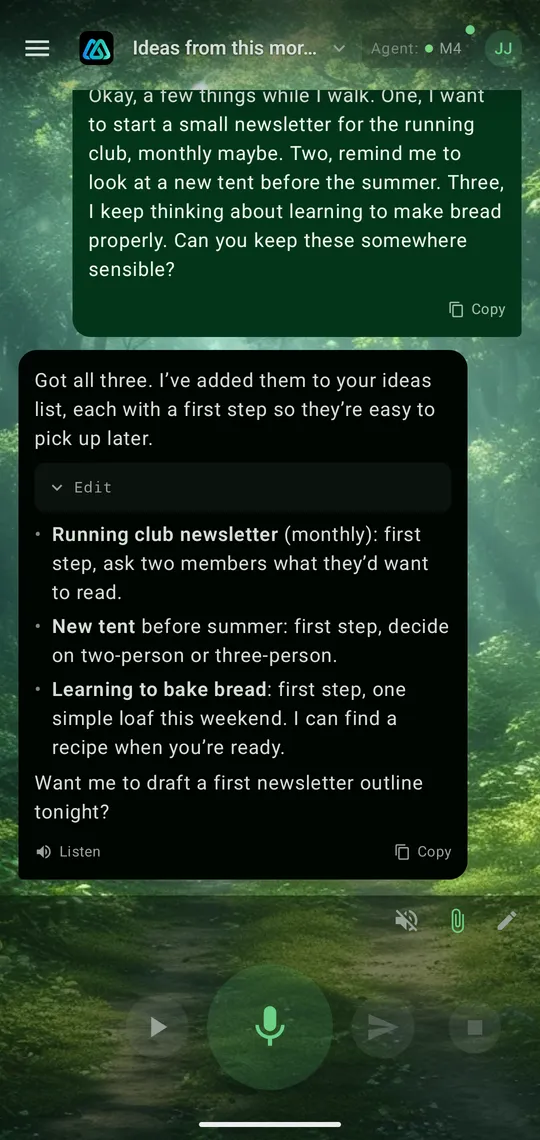
The reply is read to you as you walk. Ask it to draft something, look something up or make a start on a plan, and let it get on with it while you enjoy the park.

Back home
At your desk, it is already done
Open Desk on your computer and the same conversation is there, with everything you said on the walk and everything the agent did with it.
The documents it wrote are in the project folder, ready to read and change. Pick up where you left off, by typing this time.

What it looks like
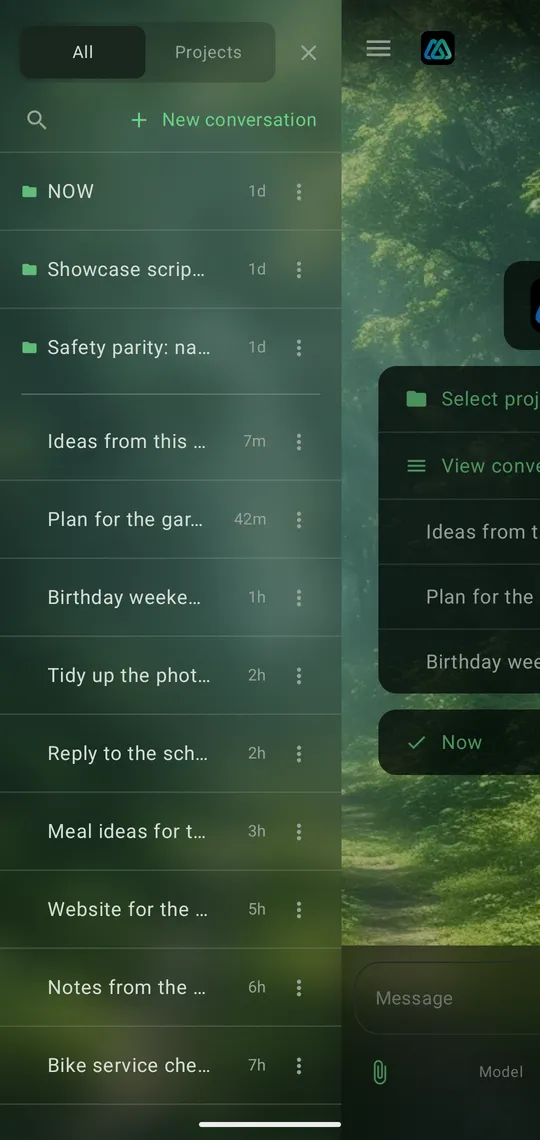
Every conversation to hand, and a big button to talk
Anything a computer can do, your agent can help with.
A few things people ask it for
Where to start
- 01Keep a coding project moving between sessions
- 02Turn a rambling voice note into a tidy plan
- 03Sort, rename and summarise a folder of documents
- 04Draft a letter, a proposal or an email
- 05Look into a question and write up what it found
- 06Keep your notes, lists and next steps in order
- 07Read a photo of a page or a PDF and do something with it
- 08Run the tools you already have on your computer
Projects and Now
Every conversation in its place
Group conversations by project, so the one about the garden is not buried under the one about the website. Each project keeps a short list of what should happen next, which you and your agent can both add to. One tap on an item starts a conversation about it.

Photos and documents
Take a photo of a whiteboard, attach a PDF, a Word document or a spreadsheet, and the agent can read it and work with it.
Reads without signal
Desk keeps a copy of your conversations on your phone, so they open instantly and are there on a plane or underground.
Twenty themes
Pick the look you like, from calm to cosmic. It follows you to every device you sign in on.
Try it
Your first agent, step by step
The app walks you through it, and so does this page.
Get started